
how to restore the factory settings gas detector?
Publication Date:2024/08/28 As an indispensable safety equipment in industrial production, the accuracy and stability of the gas detector are very important. However, in the process of use, sometimes we need to restore the gas detector to the factory settings in order to solve some software problems or restore the default settings of the device. Do you know how to reset gas detector ? The following is a brief introduction by yiyuntian electronics:
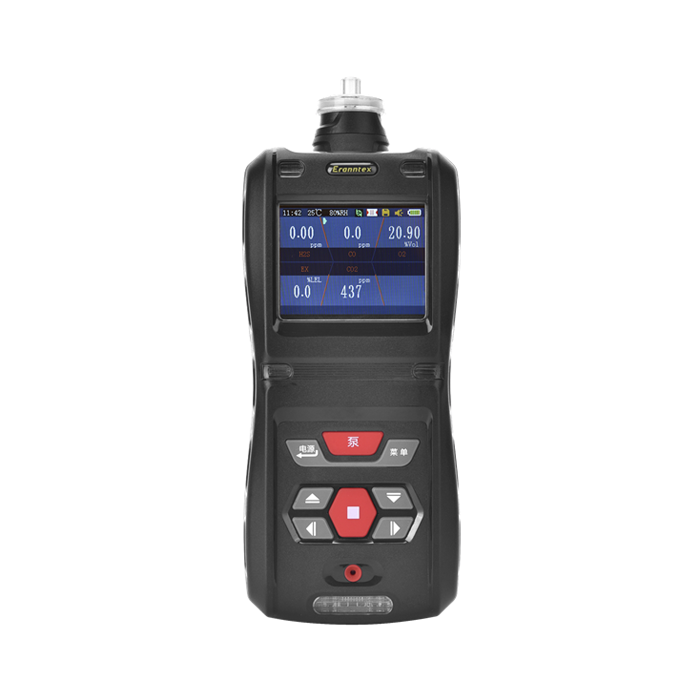
How to restore the factory settings of the gas detector:
1. Restore Factory Settings via Menu Settings
(1) Enter the menu:
Press the" Menu "key on the gas detector (or a key for similar functions, such as" MENU ") to enter the gas detector setup menu.
(2) Select System Settings:
Use the up and down keys (or touch screen operation) to select the "System Setup" option, and then press the "Enter" key (or "ENTER" key) to enter.
(3) Locate the factory reset option:
In the system setup menu of the gas detector, carefully look for the option "Restore Factory Settings" or a similar name and press the "OK" key to enter.
(4) Confirm the factory reset:
Press the confirmation key of "Restore factory settings", a prompt box will pop up, asking whether you are sure to restore factory settings. Please read the prompt information carefully and press the "Confirm" key (or "YES" and other affirmative options) after confirming that it is correct.
(5) Wait for recovery to complete:
The gas detector will begin a factory reset operation, which may take from a few seconds to a few minutes. Please wait patiently until the instrument automatically restarts or prompts for recovery.
2. factory reset via physical key or reset key
(1) Turn off the instrument:
Turn off the gas detector to ensure that there are no accidents during operation.
(2) Find the reset key:
Open the battery back cover (if the instrument is battery-powered), or look for the reset button (usually labeled "RESET" or similar) on the gas detector. The position of the reset key may vary depending on the model, please refer to the gas detector manual.
(3) Press and hold the reset key:
(4) Reboot:
After a successful reset, turn off the instrument (if it has not already been turned off automatically), and then turn it on again. At this point, the gas detector should have been restored to the factory settings.
In summary, this is the method for restoring the factory settings of the gas detector. However, please note that the specific steps for restoring the factory settings of the gas detector may vary with different brands and models of gas detectors.Therefore, before proceeding, please be sure to refer to the instruction manual of your gas detector.
Related information
-
How to Calibrate a Portable four-in-one Gas Detectors?
Portable four-in-one gas detectors are core protective equipment in the industrial safety field. However, sensors can experience z...
2026-09-18 -
What are the application scenarios for portable four-in-one gas detectors?
Portable four-in-one gas detectors typically monitor oxygen (O₂), flammable gas (LEL), carbon monoxide (CO), and hydrogen sulfide...
2026-09-16 -

Portable four-in-one Gas Detectors User Manual
The portable four-in-one gas detectors is a core piece of personal protective equipment (PPE) for ensuring the safety of personnel...
2026-09-14 -

Calibration Specifications for Ammonia gas Detectors
Calibration of ammonia gas detectors is a core step in ensuring their measurement accuracy and alarm reliability. However, ammonia...
2026-09-11 -
What is the appropriate installation height for an ammonia gas detectors?
Ammonia (NH₃) has a relative density of only 0.59, much lighter than air. This means that in the event of a leak, the gas will qu...
2026-09-09


 info@eranntexgas.com sale1@eranntexgas.com


 15914124845